
AutomationLOCRAI team12 min read
From document lines to SKU: why extraction is not enough
When a document has to feed warehouse or ERP, the real work is in the lines: variable structure, missing fields, and supplier codes that must match your catalogue.
When people talk about document automation, the first example is often the invoice. Take a PDF, extract number, date, supplier, net, VAT and total. You get structured data and send it to the ERP. It looks simple — and for many documents it is.
But when the document is not only posted in accounting, and must instead feed an operational process, the real problem almost always starts a few centimetres lower: in the line items.
A line is not always product, quantity and price
On a purchase invoice a line may contain the minimum:
- product code and description
- quantity and unit of measure
- unit price, discount, VAT rate
Depending on sector and product, the same line may also carry lot, expiry date, serial number, size, colour, weight, pack, purchase-order reference, supplier article code. And not every line on the same document shares the same structure.
One product has lot and expiry, the next does not. Another has a serial. Another hides extra information in the description. A person reading the document interprets those differences without thinking. An automated process must turn a variable visual structure into a coherent data schema.
The invoice header tells you who and how much. The lines tell you what actually has to enter the ERP.
The document has to become a data model
Suppose you want to extract from every line: product, code, quantity, lot, expiry and price. If a line has no expiry date, the system must not invent one — and must not necessarily treat the whole document as an error. It should emit an empty field and continue.
It looks like a technical detail. It is the point. The goal of Intelligent Document Processing is not to turn a PDF into text. It is to turn it into structured data, with a schema stable enough for another system to use. That is where OCR and document processing stop being the same thing.
The supplier's code is not your code
Even after a line is extracted perfectly, the ERP may not know what to do with it. The supplier writes ABC-500-20; in your ERP the same product is SKU-84721. Or the document has only a description. Someone has to decide that that line matches an item in your catalogue.
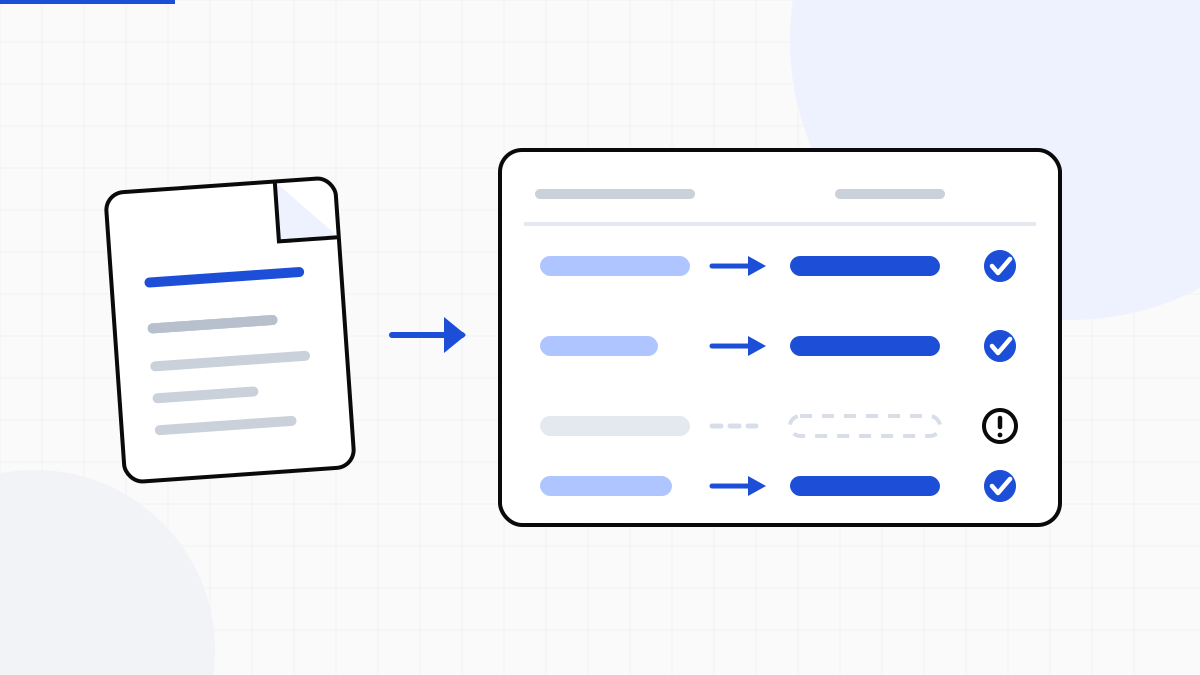
That is why catalogue matching is one of the most important steps in purchase and warehouse document flows. The path is no longer PDF → extraction → ERP. It becomes document → extraction → normalisation → catalogue matching → verification → ERP. A substantial difference: without that step you have copied faster — you have not fed the warehouse.
Extracting the line is necessary. Matching it to your SKU is what makes the data usable.
Different documents need different checks
Not every purchase document should go through the same process. An invoice for goods destined for stock may need line extraction, product recognition, SKU matching, quantity checks and capture of lot or expiry when present. A utility bill or a service invoice may need no catalogue comparison at all.
Document type determines which data to extract and which checks to run. A good document process does not apply the same procedure to every PDF: it first understands what it is processing, then applies the right rules.
AI where you need understanding, rules where you need certainty
It is also one of the clearest examples of AI and deterministic automation working together. AI is effective when it must interpret different layouts, non-standard descriptions, complex tables, moved fields, documents from suppliers never seen before.
Once the data is extracted, many checks do not need artificial intelligence. Quantity × price must match the line amount: you calculate it. Line totals must match the document total: you verify it. A code must exist in the product master: you look it up. A date must meet certain conditions: you check it.
AI where you need understanding. Determinism where you need certainty.
And when something does not add up?
Automation does not mean removing people. It means a person should not have to inspect every document and every line in the same way. If a document has 50 lines and 48 are extracted, reconciled and validated, the operator should focus on the two that fail.
- product not found in the catalogue
- inconsistent quantity or missing required field
- unrecognised lot or invalid date
- total that does not balance
Human work moves from systematic typing to exception handling. That difference is enormous when documents run into the hundreds or thousands.
The ERP should not be replaced
None of this requires changing ERP. The ERP should keep doing what it was built for: administration, purchasing, warehouse, accounting. Document intelligence sits upstream: it receives PDFs, images, scans or files from email and storage, turns them into structured data, verifies them and delivers them to the system you already have.
Integration can be a CSV imported on a schedule or a fully automated API and webhook flow. The question is therefore not only «can we read this document automatically?». The more interesting question is: «can we turn what is written on it into data our ERP can actually use?» That is where document automation stops being OCR and becomes part of the business process.
From documents to usable data
LOCRAI turns invoices, orders, delivery notes and other business documents into structured data, verifies what was extracted, reconciles product codes with your catalogue and prepares output for ERP. CSV, Excel, JSON, XML, API or webhooks: the document remains the starting point, not the destination.
On header extraction methods there is already the article on invoice PDFs. Downstream, accounts payable automation and PO–delivery note–invoice matching. To see it on your files, request a demo.
Want to see it on your documents?
We'll show you LOCRAI at work on one of your real workflows, in a short, concrete demo.
Request a demo