
Under the hoodLOCRAI team10 min read
LOCRAI: the Intelligent Document Processing that turns documents into data and actions
Understand, extract, verify and deliver: why IDP goes beyond OCR, and how AI, determinism and integrations turn a file into trusted data for your ERP.
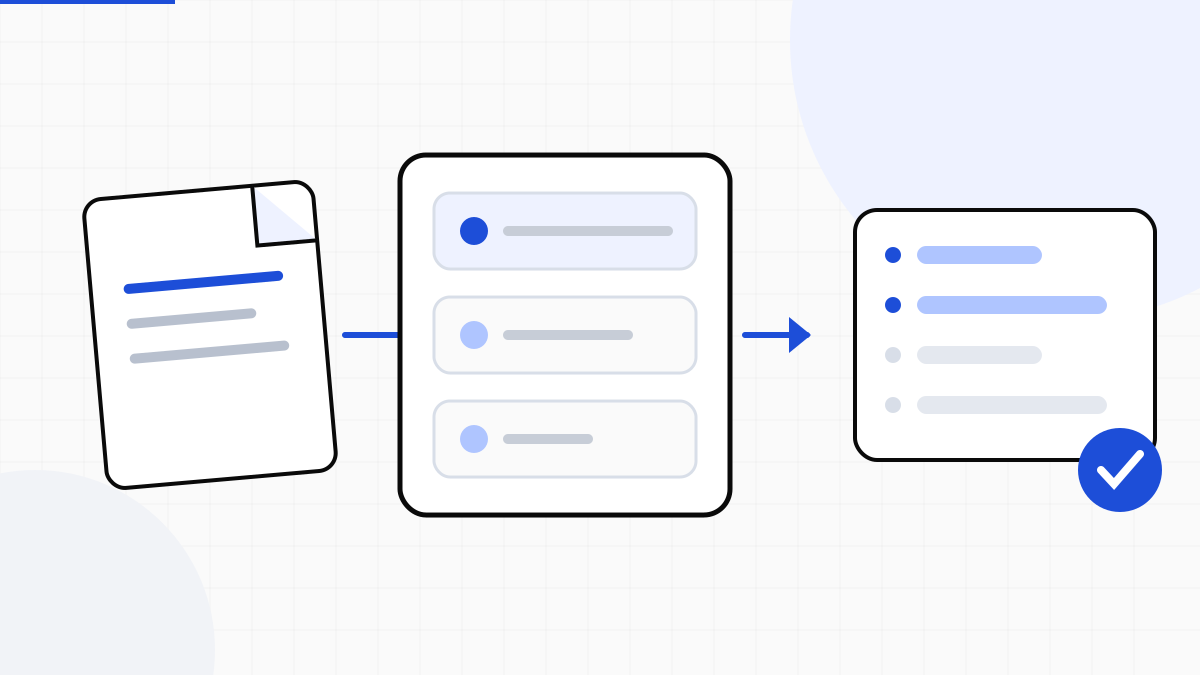
Every day companies receive invoices, orders, delivery notes, PDFs, scans and images that hold the information feeding ERPs and internal processes. The problem is no longer digitising those files or turning them into text: it is understanding them, extracting the right data, verifying it and taking it where it is needed.
That is the problem Intelligent Document Processing (IDP) addresses. LOCRAI is an AI-native IDP platform that combines artificial intelligence, deterministic processing, validation, integrations and automations to turn documents into structured, reliable data that business processes can use. The principle is simple: AI where understanding is needed, determinism where certainty is needed.
From OCR to Intelligent Document Processing
For years the reference point in automatic document processing was OCR: recognise characters in an image and return text. It remains essential technology, but it only solves part of the problem.
Knowing that a PDF contains the string «1,250.00» is not enough. You need to know whether it is a net amount, a total or a unit price, relate it to the rest of the document and return it in a structure a system can use. IDP is not about reading: it is about turning the document into structured information. We compared the ways of reading a file — native structure, text layer, OCR, visual analysis — in OCR, text layer and visual analysis; the industry frame is in the guide to intelligent document processing.
AI where it adds value, determinism where certainty is needed
One principle behind LOCRAI is not to use artificial intelligence merely because it is possible. The goal is not to maximise calls to a model, but to pick the most reliable and efficient tool each time.
- If the document is already structured, there is no point asking a model to reconstruct what is already there
- If a PDF has a native text layer, that text is recovered directly — AI may still help afterwards, to tell whether a number is an order, a net amount or a product code
- On scans, complex layouts and poorly standardised documents AI becomes useful, but it stays inside a controlled pipeline and on defined tasks
More AI does not mean a better product
It can sound paradoxical, at a time when many products compete on the number of AI features. Every call to a model, however, adds variability, latency and cost. If a task can be done deterministically, using an LLM does not make the product smarter: it can make it more expensive and less predictable.
The goal is therefore not to maximise the amount of AI, but to use it where it has an advantage over traditional software. The result is a hybrid architecture: AI and deterministic software collaborate, instead of trying to replace each other.
Extracting a field is not enough: you have to be able to trust it
If a system misreads a sentence in a paragraph, the error can be harmless. If it misreads a net amount, a total, a quantity or a product code and that value lands in an ERP, the consequences are different. LOCRAI does not treat a model's output as truth just because AI produced it.
Where possible, data goes through deterministic checks: totals, formats, dates, identifiers. What passes continues; what does not add up is flagged, instead of hiding uncertainty behind an apparently confident answer. On what a reliability score does and does not promise, see confidence is not a promise.
It is not enough for the AI to say a value is correct. Where possible, we want something we can check.
From the document to the ERP: extraction is half the work
A company receiving hundreds of orders as PDFs already saves time by extracting customer, order number, products, quantities and prices. But if someone then has to type that data into the ERP, the process is only half automated.
LOCRAI connects document processing to the rest of the stack through APIs, integrations and automations. The flow becomes document, capture, understanding, extraction, validation, integration, action. The architecture, from email and folder inputs to events, is described on how it works.
An invoice, an order or a delivery note stops being a file to read and becomes the structured input of a software process.
An example: an order received as a PDF
Imagine a company receiving orders from tens or hundreds of customers, each with its own layout: a native PDF, a scan, a table organised differently. Manual work is opening every file, finding customer and order number, reading codes, descriptions, quantities and prices, and posting everything in the ERP.
With an IDP system the document is captured, the relevant information extracted, the data checked and transformed into the destination format. If something does not add up, the case is caught before the value continues; if it is consistent, the flow continues through APIs and automations. The value is not «reading a PDF with AI»: it is removing a sequence of repetitive operations while keeping control of the data.
Why it is called LOCRAI
The name tells the starting point: LOCRAI is «the OCR AI», the idea of applying artificial intelligence to a decades-old problem — turning documents into information software can use. Today the product is broader than the literal meaning of the name. OCR remains a component; the problem to solve is taking the document all the way to the process, not stopping at the text.
AI is not the product's purpose
Not everything has to go through a model. The combination is direct extraction when it is possible, artificial intelligence when understanding is needed, deterministic checks when certainty is needed, a human on the exception, and integration when the data is ready.
When a document has to become data the company actually uses, the question is not how sophisticated the technology is: it is whether you can trust the result and use it in the process right away.
To see it on your documents, request a demo or compare the plans.
Want to see it on your documents?
We'll show you LOCRAI at work on one of your real workflows, in a short, concrete demo.
Request a demo